Green Screen Wizard Pro Studio Editor is the most popular green screen software
solution that we provide. Green Screen Wizard Pro Studio with Editor is a self-contained
chroma key removal program that does not require Photoshop or any other photo editing
applications to produce beautiful green screen photos.
Green Screen Wizard Pro Studio Editor is intended for people that demand the greatest
flexibility in green screen photography. The Pro version expands on the features
of the Full version and adds Image Compare, a Background Gallery, an Editor, Full
Annotation Capability, Shadow Generators, and Special Effects that can provide professional
photographers a platform for doing business. It's full annotation capability will
let you put as much text as you like on your images. With this feature you can create
advertisements or your own magazine covers. Green Screen Wizard's Airbrush Editor
is a built-in Editor that uses special "Green Screen Aware" brushes to correct even
the most difficult green screen problems and can bring out wispy hair details in
the image. Green Screen Wizard's special effects that makes adding reflections,
lighting effects, skin smoothing, and creating artistic images a breeze.
Professional Photographer hate to jump from program to program just to process an
image. With Green Screen Wizard you never have to leave the application to get the
job done. Start with the image compare system to help your clients choose their
photos. Pop up the background gallery to let them see the background options. Use
the Wizards tools to adjust green screen setting and position the image. Doing portraits
or glamour shots? No problem use the built in skin smoothing system to make the
woman smile! What to get creative? Use the wonderful selection of special effects.
Need to annotate the photo or add an image or logo? The pro system has a full annotation
and image placement system. Then when you are finished, you have a full editor to
fix any problems with the foreground or background. The Wizard does it all!
Buy it now, for only $199.95 you will receive a license that can be used for Windows
and Mac
|
Pro Studio Videos
|
|
|
|
Expand your Photography Business
|
|
- Portrait Photographers:
No studio portrait photographer should be without Green Screen Wizard. Giving your
clients a wide verity of background is just the start. The new image compare function
will help your clients pick their favored shots. Once you pick the photo do want
to keep the fine facial details but not show every skin flaw? Our skin smoothing
software will let you dial in just the correct amount of digital makeup and skin
smoothing. The Airbrush Editor can restore even the finest hair, remove any facial
issue, whiten teeth and even apply makeup! The frame /vignette system and give soft
edges to the background. Lighting effects can make your portraits come alive.
- Wedding Photographers:
Elegant settings produce great bridal portraits regardless of venue. The Airbrush
Editor can fine tune bridal veil transparency and restore the green parts of the
bridal bouquets.
- Model Photographers:
Add diversity to a model's portfolio with beach or exotic location shots. Swimsuit
models do not use makeup on their bodies but the Wizards skin smoothing software
creates smooth skin on the entire skin surface. Using special effects can give a
model images that she cannot get from other photographers. The "Woman on Fire" silhouette
is a particularly popular. Models standing in the water with a reflection is also
fun to do.
- Pet Photographers: Pet
photography is a nightmare for green screen photographers. Dogs and Cats are nothing
but difficult to restore hair from head to toe. With the Green Screen Field Processing
to handle most cases and the Airbrush Editor to fine tune hair restoration Pet photography
just got a lot easier.
- Vintage Photographers:
In the past Vintage photographers were restricted to a simple set that they created,
usually a bar setting. Now with Green Screen photography they can offer vintage
homes, bars, western towns and more. The Wizard has a built in effect to automatically
change the color image to Black and White or Sepia tone.
- Artist: With the new
effects system you can add texture, lighting effects, reflection and a wide variety
of special effects.
|
|
Why Buy Green Screen Wizard Pro Studio with Editor?
|
- Intuative Interface easily get results fast
- Airbrush Editor to solve any image problem
- Skin smoothing to enhance portraits
- Image compare to help clients select foreground image
- Overlay Creation utility to create
magazine covers and sandwich overlays
- Written in C++ to make processing
faser
- ICC color support for professional
color
|
- Constantly under development with free updates to purchased version
- Special Effects to expand your creative options
- Green Screen Field Processing to give the most realistic green
screen output
- Flexible printer templates, with background images
- Place logos or other images on foreground or background
- Create text with any font, any color, any size. Place as much texts
as your want on the image.
- ONLY $70 more then the Full version, but you get so much more.
|
|
|
Simple User Interface
|
Green Screen Wizard offers a simple, intuitive user interface
that makes it easy to learn, easy to use, and fun for all ages and skill levels.
|
The Mac full screen graphical User Interface

The Windows full screen graphical User Interface

|
It does not matter how powerful a software product is if the
interface is so hard to use that the average photographer cannot easily and quickly
get results. Designed for photographers by a photographer, the Wizard uses simple
icons, sliders and buttons combined into a simple workflow. At its most basic simply
click Load Foreground to choose you green screen image and then click Load Background
for the background image. Need to make changes? Click on the Adjustments Icon to
do color matching , scale or rotate the image or fine tune the green screen removal
settings. Want some text or an overlay then select the Effects Icon.
The pro version adds the Editor icon ,the Compare Images button and the Pick Background
button to the home screen.
|
|
Green Screen Processing Features
|
We feel that the most important thing in a green screen software
package is the green screen removal engine. Our engine has evolved over 8 years
of constant development to become what we feel is the best green screen engine in
the world. Forget the marketing hype of our compactors and try our free demo to
prove it to yourself.
Press here to try the free standalone demo:

All of the features mentioned below can be fine tuned with the easy combine settings
or the more advanced slider combine settings. This gives you complete control of
the green screen process.


|
|
Green Screen Field Processing accurately replaces the
green areas
|
|
Most images have large variations in the color and intensity of the background green screen. In the past this led to gray areas on the final background where the green screen was darker. With Green Field Processing the background is sampled at many locations for color and intensity giving a exceptionally accurate green screen replacement.
|


|
|
|
Excellent Transparency Support
|
|
Great transparency can really add to the illusion that the
person is in the background. Accurately computing this is very difficult. The Wizard
does it automatically and supplies you with intuitive controls to fine tune it.
|


|
|
|
Automatic Spill Calculations
|
When shooting in front of a green screen, some of the green
color will spill onto the subject. These areas are not removed, and are not transparent
but they need to have the green tint removed.
Notice how the image on the left has a green tint to the rug and the tint is removed
but the rug is not transparent in the second photo.
|


|
|
|
Edge Blending (New in Version 9)
|
Often the edges of a subject have a black or unwanted thin
color edge. With edge blending this can be removed with a simple click. The trick
is to not remove thin hair or other details.
Notice how the image on the left has a yellow line around the red sweater after
edge blending it is removed in the second photo.
|


|
|
|
Remarkable Hair Restoration
|
|
Probably the hardest thing to do in green screen processing
is to restore natural looking hair. Early attempts at doing this failed miserably
which gave green screen processing a bad reputation amongst professional photographers
. A combination of transparence and spill removal seamlessly integrated is required
to perform this task to the satisfaction of clients and photographers. With Green
Screen Wizard Brown, Red, Black and Blond hair are all restored with high fidelity.
|


|
|
|
Transparent PNG file Support
|
|
There are times when you do not wish to integrate the background
but simply create a transparent png file to be used by another program. By clicking
"Output a transparent background" on the home screen a checkerboard pattern will
show where the green areas have been made transparent.
|


|
|
|
Blue Screen Processing
|
|
While we recommend using a green screen as people tend to
have blue eyes and ware blue jeans and other blue clothing, the wizard does support
blue screens when you need it. This is often required when a team has a green jersey,
a school has a green uniform, or a bride carries green flowers.
|


|
|
|
ICC Color Profiles
|
ICC Color profiles assure the highest quality color reproduction.
The stored ICC Color profile in the input images is used to render the image. When
images are saved the ICC profile stored in Green Screen Wizard/ ICM folder is use
to render the image.
|
Green Screen Wizard Pro Studio with Editor Features
|
In green screen photography we are creating an illusion that
the person was photographed in the background setting. Something that help this
illusion is to have the foreground and background colors match. It is also important
to scale the foreground or background to place the subject properly. Perhaps the
most powerful technique is to use sandwich overlays to make the subject appear to
not only be in front of the background but in the setting. With the pro system you can use the airbrush editor to solve just about any image problem. The built effects and workflow features are a bonus.
|
|
Compare Images (Version 9)
|
|
Compare Images creates large thumbnails of all the images in a folder. It then lets you drag image to a compare section so that you can easily choose the best image.
This feature completes the workflow for photographers. Now you can do a photo session then start the Wizard to review the images for your customer, do your green screening, final editing touch up and printing all in the same package.
|


|
|
|
Airbrush Editor
|
|
|
|
Special Effects
|
Green Screening appeals to people that would like to do something
different. To expand on this idea we created a series of special effects that will help photographer create
unique image. We use the transparence information created by the green screen removal system
to create dramatic silhouettes with many colors and even cutout images. You can
also use the transparency information to create realistic reflections in the water.
Because so many green screen photographers are photographing people a great deal
of development has be given to creating a great skin smoothing system. In version
9.0 we are on our 3ed generations of this system and we believe it is our best by far.
Green screen photography requires flat lighting so we added some lighting effects
to give you some more visually pleasing portraits. Often the images are used for
web pages. Adding a frame can make them standout. The texture system was added for
photographers that are attempting to create art.


Click here to learn more
about the
Special Effects

|


|
|
|
Add Unlimited Text or Images
|
|
The Pro version gives you full flexibility to add annotation
or images to your output. With the image feature add logos, flowers or even fairy
wings to the background or foreground of your image. Create your own Christmas Cards
or Magazine covers with the extensive annotation features.
|


|
|
|
Shadow Generator
|
The shadow generator can add a heightened sense of realism
to your green screen photography.
The generator supports 3 shadow methods:
- Wall Shadow
- Floor Shadow
- Floor and Wall Shadow
|


|
|
|
Color and Exposure Control
|
|
The Wizard gives your control of brightness, contrast and
saturation as well as independent control of the red ,green and blue balance. These
modifications can be applied to the foreground or the background. You can use these
controls to correct poorly exposed images or images with bad color balance. These
controls can also be used to match a foreground to the background.
|


|
|
|
Scale, Placement and Rotate
|
|
It is important to fit the foreground to the background. The
Wizard give you control of the scale, placement and rotation of the foreground and
background images.
|


|
|
|
Sandwich Overlays
|
The sandwich overlay was the feature that put Green Screen
Wizard on the map. It can be use to improve the illusion that the person is in the
scene as shown by the bride photo. You can also be on the cover of a magazine or
create your own greeting cards. Want to take it a step further, place people in
globes, planes, or even crystals. You can create your own overlays with Photoshop
or buy one of the many great collections we offer.
Click here to see some of our overlays
|


|
|
|
Simple Labels
|
|
In the full version you can put 2 labels at 9 preselected
positions. The labels can be Xlarge, Large, Med, or Small. You can have them in
white or black in the Times Roman, Arial or Cursive font.
|


|
|
|
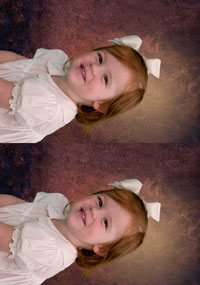
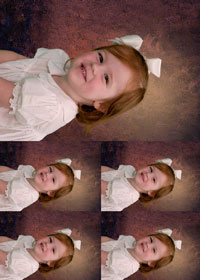
Flexible Printing Options
|
|
The Wizard has many pre designed printer templates to choose
from. It also has a printer template design utility that lets you create your own
templates.
|
|
|